
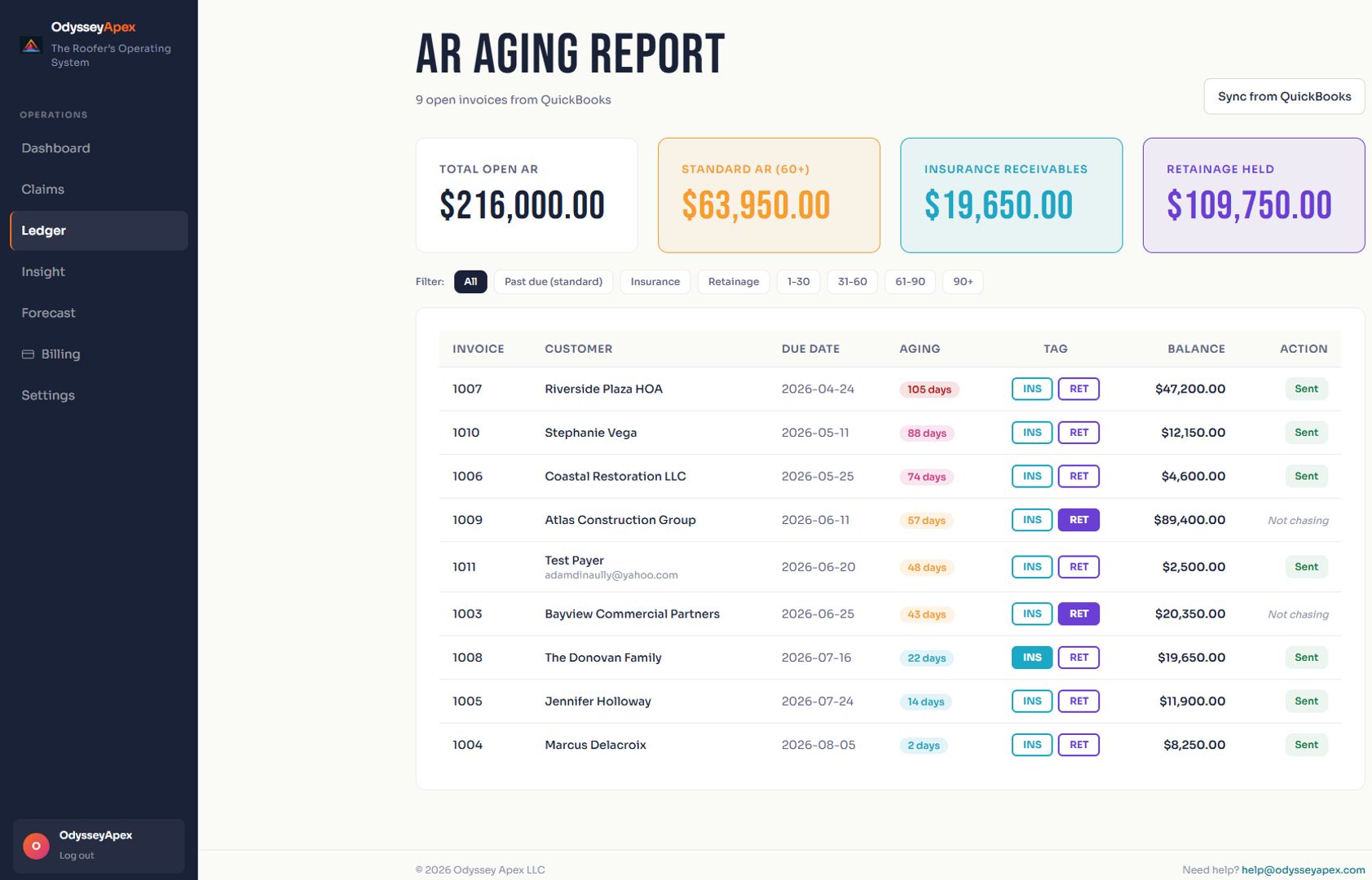
What the QuickBooks connection helps you answer
- What roofing invoices are unpaid? Review open balances and the payment conditions behind them.
- Which roofing jobs are profitable? Review recorded revenue and assigned costs when data quality supports a margin.
- When could cash get tight? Review expected collections, operating costs and a rolling ninety-day forecast.
How to connect QuickBooks Online
- Start the Odyssey Apex subscription. The complete platform is $297 per month.
- Use the secure connection link yourself or forward it to the person authorized to connect your QuickBooks Online company.
- Review and authorize the connection through Intuit. Do not send your QuickBooks password to Odyssey Apex or another person.
- Review Trust Score and the available financial findings. Resolve missing customer assignments and cost records before relying on job margins.
- Make the financial review part of your weekly office routine: balance, payment condition, next action, owner and review date.
How this differs from a roofing CRM integration
A roofing CRM manages leads, estimates, production and crews. Its accounting connection may move invoices and payments into QuickBooks. Odyssey Apex reads the financial record already in QuickBooks Online and helps explain what needs attention next.
You can keep a CRM such as JobNimbus or AccuLynx. That does not mean Odyssey has a direct integration with those products: its financial connection is to QuickBooks Online. Confirm your CRM's own sync settings with that provider.
Check these records before interpreting a result
- Open invoices and payments are current, including unapplied payments or credits that need bookkeeping review.
- Customer and job names are consistent enough to match the financial activity.
- Materials, subcontractor bills and other direct costs are assigned to the appropriate customer or job.
- Retainage, mortgage holds and insurance payment conditions have supporting records for human review.
Missing records limit the answer. Trust Score flags unreliable inputs rather than treating every financial output as equally certain. Read the financial methodology and QuickBooks security information.
QuickBooks integration questions
Does it work with QuickBooks Desktop?
The supported accounting connection is QuickBooks Online. Do not subscribe expecting a direct QuickBooks Desktop connection.
Will it change my QuickBooks entries?
Financial analysis is read only by default. Odyssey Apex does not replace your bookkeeper or your accounting file. Supported external sending requires explicit configuration.
Does a profitable job mean the cash has arrived?
No. Recorded job margin and collected cash answer different questions. Review both the open invoice balance and the expected collection timing before making a cash decision.
Does it create estimates or interpret insurance coverage?
No. Claims compares amounts printed on carrier estimates with invoices and surfaces possible gaps for human review. It does not decide coverage or guarantee payment.
Start with the QuickBooks aging report guide for roofers, then review how roofing job costing works in QuickBooks.